
• Welcome to For E Bodies Only !

    We are a community of Plymouth Cuda and Dodge Challenger owners. Join now! Its Free!

71 Challenger 3D printed designs

RickyOG90

Well-Known Member
Joined
Mar 1, 2025
Messages
85
Reaction score
60
Location
Tampa, FL
Hey all,
So I just posted about my updates on the grill inserts, but I also wanted to share some of my 3d designs I made using my 3d scanner while on my trip to also work on the project car. i will have a section for each 3D design.

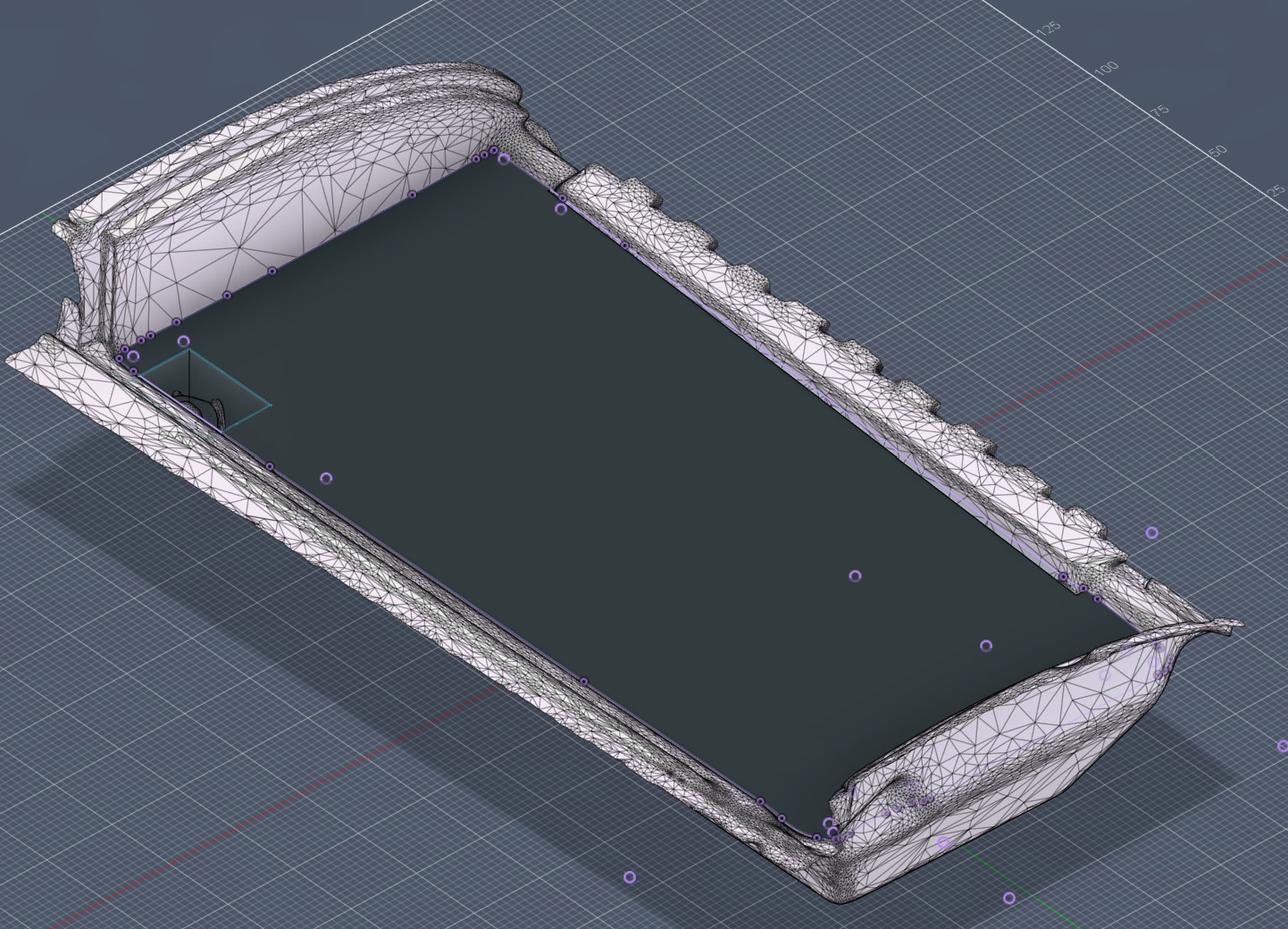
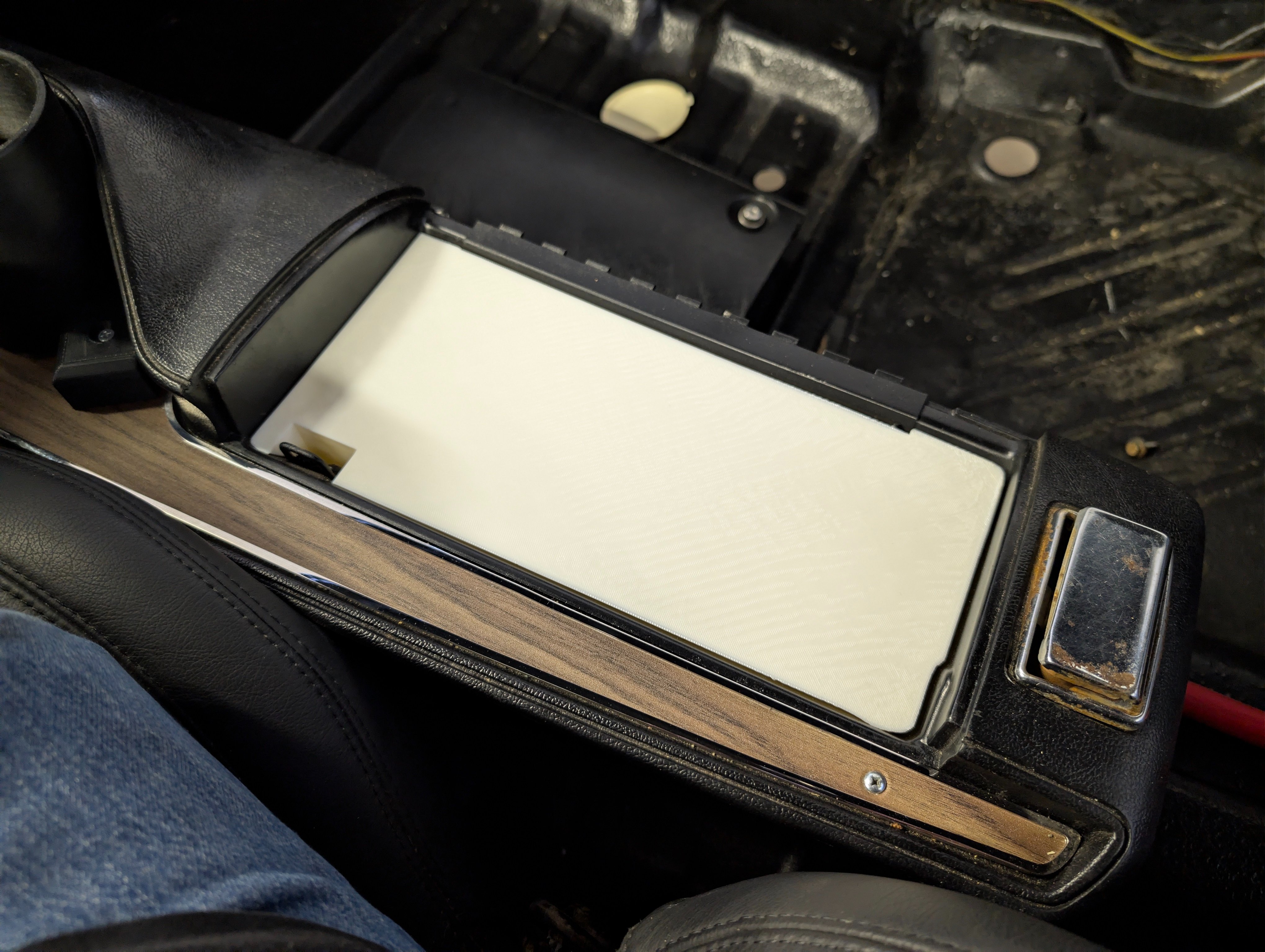
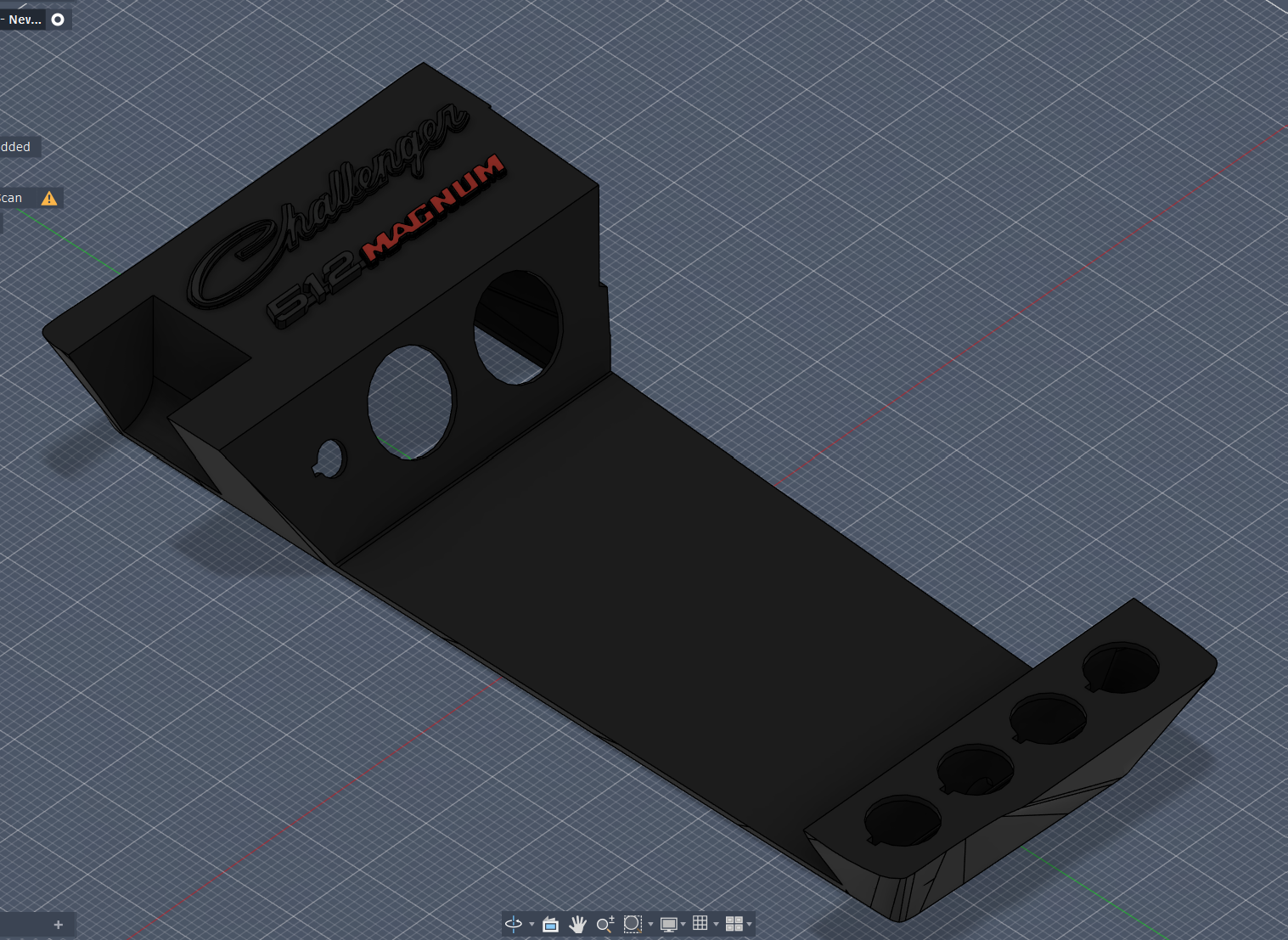
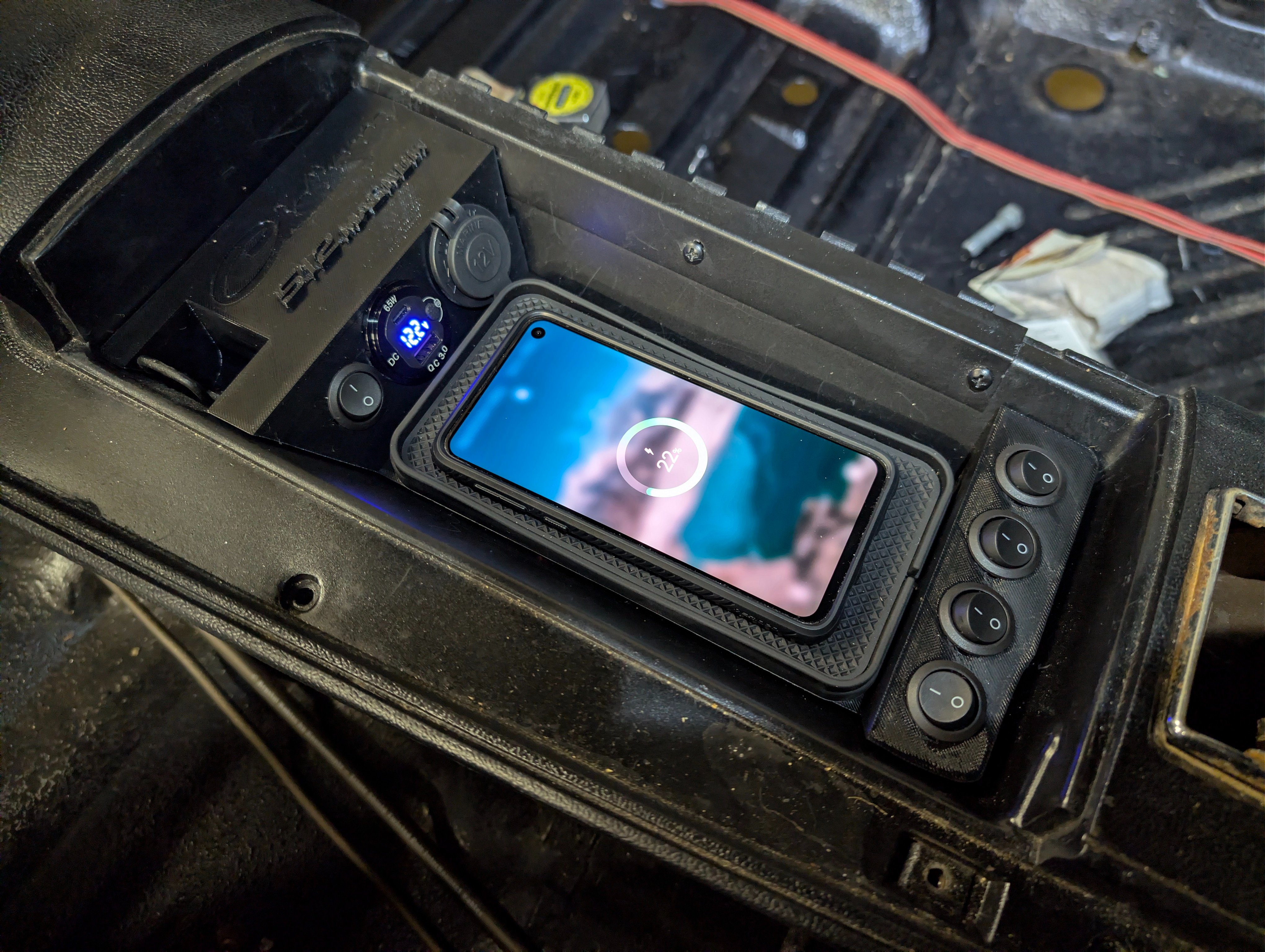
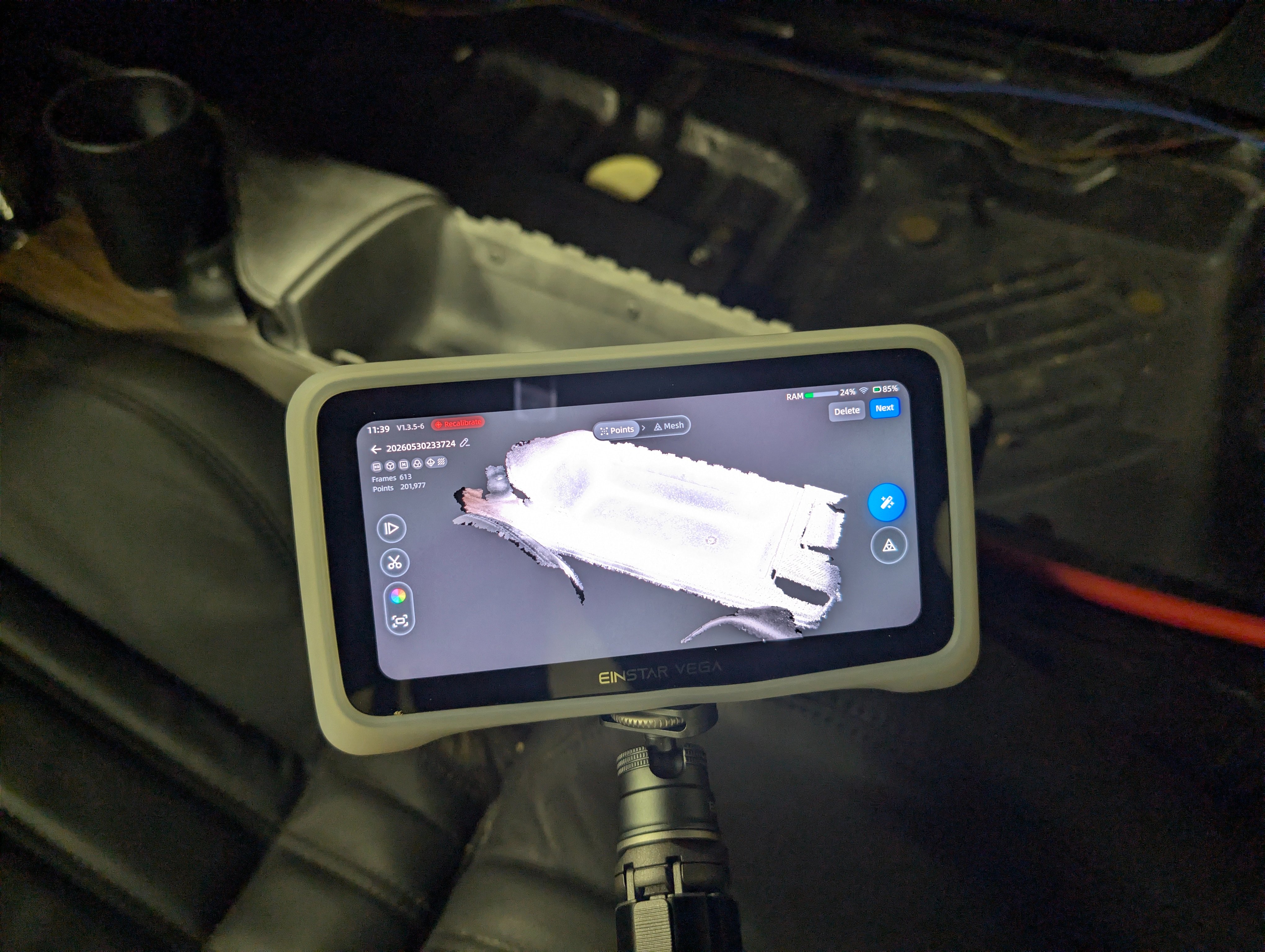
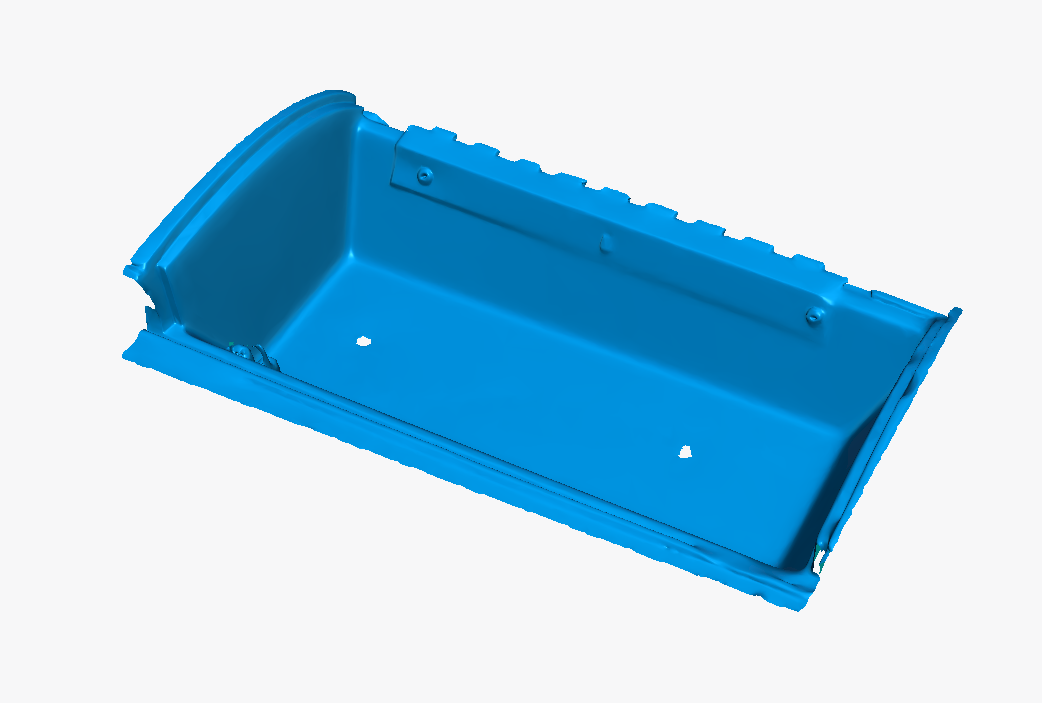
First Project - Center Console Moderization Insert. So this one I had wanted for a good bit. I had previously came on here asking for assistance getting measurements of the center console and it ended up not fitting so when I came up on my trip, I brought my einstar vega and scanned the center console and loaded it into blender for some smoothing and slight modification before putting it in fusion to make a solid that fills inside the mesh. Test printed that solid, upon verifying it fits perfectly. I took that solid and cut it out into the design I wanted and with the room needed for the accessories I wanted to install into it. (cigarette lighter socket; pod that has PD charging for both 65w usb-c, 18w usb-A, along with a voltmeter; toggle switches; and a 20w wireless charging pad) While I was at it, i also put in the custom 512 magnum emblem into it, and the Challenger logo as well. Though the challenger logo I will print separately and glue it into place as it needs a smaller nozzle to print.
PXL_20260531_033932821.jpg
image-536.png
image-1364.png
PXL_20260531_233229247.jpg
image-1043.png
PXL_20260613_083954279.jpg
 
Rear Speaker Adapter - So I had bought Rockford Fosgate T1675's for the rear speakers and while they came with a 6x9 to 6.5" speaker adapters, tbh they didnt fit all that well. I remembered that I had a 3D scanner and I could just make my own! So I did the exact same thing I did with the center console insert. Honestly, theres something about 3d printing a model and placing it where it goes and it just slots in and holds its place even when you push it around even if its not bolted down. *insert clean shaven meme here*
Screenshot_2026-06-04_010023.png
image-415.png

Screenshot_2026-06-04_010047.png
image-505.png

PXL_20260605_031249586.jpg
PXL_20260605_031255150.jpg
PXL_20260605_031717309.jpg

PXL_20260613_184750096.jpg
 
Speaker Cable Management - So this one was kind of a spur of the moment deal. So, all the speaker wires go to the trunk of course to the amplifier. But since the battery is also in the trunk, I did not want the speakers to cross over the 0 gauge cabling and cause interference. So I realized that what I could do is take a bit of experience from PC Building and make cable combs so i could move the cabling to channel them where i want them to go. Plus it would also allow me to keep my fuel pump and fuel sensor cables away from them as well as I could also make cable combs for them too. Do ignore the last couple pics where you can see my other cables like the two 0 gauges and my speaker RCA cables not also cable managed. I didnt have enough time but i can definitely go about designing some for those on my next trip up there.
As for the speaker cables, I sorted them in order to easy following down the line. When looking at the row of cables on the back seat frame, Top pair are the front left speakers, second pair are the front right speakers, third pair(since the cables are going from right to left) is the back right speaker, but once the cabling gets to the back left speaker, the back left speaker takes place of the second pair shifting the 2nd and 3rd pairs down. Thereby having the left side speakers taking the top 2 pairs, and the right side speakers taking up the bottom 2 pairs.
If you might've noticed, the fuel pump and fuel sensor cables are also cable managed. Albeit a tad more chaotically as i made the fuel pump wires loosely twisted pair so i did as best i could to keep them in line as they went along their path to the front of the car.

Ever so slowly, my cable management in the car is getting cleaner and 3D printing has came along to aide in the endeavor.
image-545353533.png
PXL_20260609_035030151.jpg

PXL_20260613_184815562.jpg
PXL_20260613_184847317.jpg
 
A/C Vent to VintageAir duct adapters - So finally, earlier this year I saw some guy online that was selling 3d printed reproductions of the stock a/c vents and I was greatly interested. Tbh, I hate the idea of aftermarket vents placed at the bottom of the dash. For one, it looks tacky, and for two, from experience in the f-3 restoration, those vents feel like they're so far below and away from you that the strength of the air blowing at you feels lacking. So I had to buy them; However, that lead to the next issue which was how do i install them into the dash, and how do i connect the ducts to them. The first one, I ended up buying a reproduction dash pad cover. It is unfortunate that reproduction dash pads seem to be disappearing as i only found yearone selling them and with a 6+ month waitlist. So my plan is to take the dash pad cover, align it as closely to mine as possible, and since the dash pad cover i obtained is one with stock a/c, it will show me exactly where the vent cutouts need to be and i can cut them out of mine, and insert the reproduction vents there. The second issue like i mentioned was how do i fit the VintageAir ducts to the stock ones since their ducts are circular and the stock vents are rectangular. Well my solution was to design and 3D print vent adapters. So now the only thing to test now once i get the vents installed at some point is to see if they need to be placed at an angle or if their current flat path is sufficient under the dash

image546254625436.png
image234524352.png

image6896896.png
image68968964.png

PXL_20260608_202619482.jpg

PXL_20260610_111514943.jpg
PXL_20260610_111525799.jpg
 
Ok lastly, I cant forget to promote my 3D printing areas at both my home(pic 1) and the new one on the farm(pic 2), as I couldnt have done these creations without them. PS. the tv is planned to be mounted up on the wall above its current position, but i ran out of time as I was prioritizing getting my engine started and all that.
PXL_20260227_031537372.jpg
PXL_20260611_034633094.jpg
 
Do you think you could make a snap in insert for the 70 only consoles to cover the square hole at the back that was meant for seat belt buckle storage? That's an ugly hole when you don't have seatbelt buckles stuffed in it!🤣
 
Do you think you could make a snap in insert for the 70 only consoles to cover the square hole at the back that was meant for seat belt buckle storage? That's an ugly hole when you don't have seatbelt buckles stuffed in it!🤣
lol i could if i had a 70 center console to 3d scan haha
 
Back
Top